Tools
首页
画图
音乐
视频
采集
记事
博客
实验室
登录
lypeng
146
文章
11
分类
49
记事
分类
生活-[23]
Linux-[24]
前端-[9]
数据库-[16]
PHP-[31]
git-[7]
其他-[6]
python-[20]
算法-[4]
React-Native-[4]
中草药-[2]
广告位1
广告位2
首页
/ PHP
返回列表
微信支付后的回调notify.php(即修改订单状态)
阅读:1298
发布:2015-12-09
作者:lypeng
notify.php文件,说下流程: 1. 获取xml内容 2. 将获取的内容转化为数组 3. 验证签名 4. 修改订单状态 ```php //获取微信返回的xml数据 $xml = $GLOBALS['HTTP_RAW_POST_DATA']; //将xml转化为数组,赋值给$result $result=json_decode(json_encode(simplexml_load_string($xml, 'SimpleXMLElement', LIBXML_NOCDATA)), true); //记录一下日志 if(!empty($result)){ file_put_contents('/log.txt', $result,FILE_APPEND); }else{ file_put_contents('/log.txt', "xml转数组失败!",FILE_APPEND); } //如果返回成功则验证签名,//验证签名部分未测试,你可以注释掉!或自己研究 import('@.ORG.Wxpay.WxPayPubHelper'); $notify = new Notify_pub(); $notify->saveData($xml); if($notify->checkSign() == FALSE) { $notify->setReturnParameter("return_code","FAIL");//返回状态码 $notify->setReturnParameter("return_msg","签名失败");//返回信息 }else { $notify->setReturnParameter("return_code","SUCCESS");//设置返回码 } //签名验证完毕,修改订单支付状态 if($result["return_code"]=="SUCCESS" && $result["result_code"]=="SUCCESS" ){ //连接数据库,查询订单,修改状态 $cfg=include("../Conf/db.php"); mysql_connect($cfg['DB_HOST'],$cfg['DB_USER'],$cfg['DB_PWD']); mysql_select_db($cfg['DB_NAME']); mysql_query("set names utf8"); $ress=mysql_query("select * from user_orders where order_no=".$result['out_trade_no']); $payinfo = mysql_fetch_array($ress); if ($payinfo) { if($payinfo['ispay']==1){ //订单已支付,请勿重复支付! }else{ //订单存在,修改支付状态为已支付,ispay=1 $resp=mysql_query("update user_orders set ispay=1 where order_no=".$result['out_trade_no']); if($resp){ //支付成功,跳转到网站首页或个人中心订单页面 } } }else{ //订单不存在 } } ``` 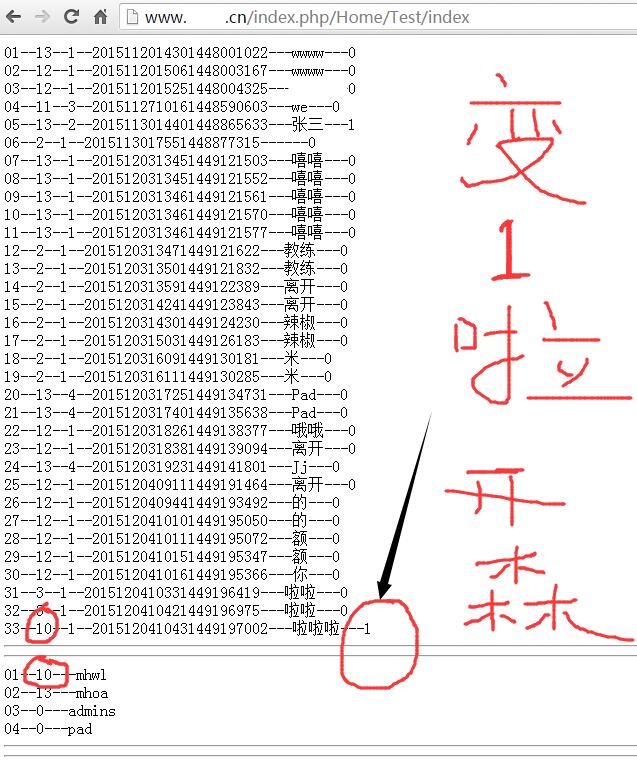
------本文结束
感谢阅读------
上一篇:
说说微信支付jsapi接口
下一篇:
微信摇一摇周边初次体验
 lypeng lypeng